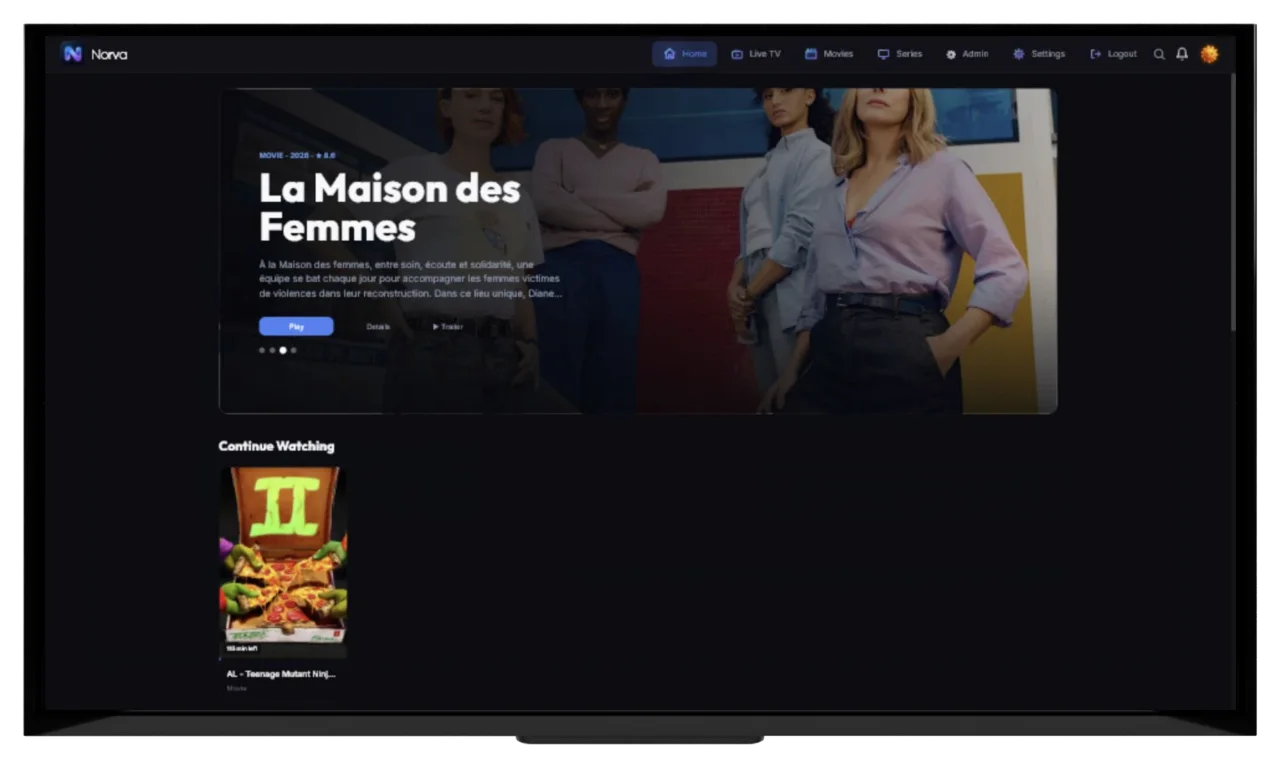
Latest guide
Shared Household Governance
 Norva
Norva
Practical guides on organising a personal media library, playback, cross-device setup, and getting the most out of Norva.
Fresh field notes from the Norva editorial desk.
Search by problem, workflow, device or topic.
Published guides: 186
Assign a source steward to verify authorisation, protect credentials, approve connection changes, document impact, coordinate outages, and maintain an exit plan.
Choose short, distinct, privacy-conscious profile names that remain recognisable under remote focus and avoid sensitive data, duplicate labels, and device names.
Verify title, year, series, season, episode, source, version, duration, and tracks before moving a viewing session between supported screens.
Create a quieter tablet viewing setup by reviewing notifications, home-screen clutter, account state, audio, and an explicit end-of-session reset.
A deliberate interruption plan covering allowed contacts, alarms, visual alerts, calls, audio focus, post-interruption checks, and setting restoration.
A context matrix for choosing browser window size or fullscreen without sacrificing subtitles, controls, privacy, assistive tools, or interruption recovery.
A semantic origin-token method that returns viewers from detail screens, variants, and episodes to the list position they actually left.
A two-layer filter architecture that saves TV space while keeping every label, selected value, active state, reset path, and D-pad transition understandable.
A route selector that matches known-item retrieval, range comparison, and related exploration to search, browsing, and recommendations.
A season-aware diagnostic that separates card labelling, episode rollover, profile context, and version identity before a support report.
A quarterly decision ledger reviews purpose and identity before any bulk cleanup, preserving unresolved and unavailable favorites safely.
A guide freshness ledger separates when data was retrieved, how far it covers, whether boundaries transition, and what the source currently reports.
A season-part crosswalk keeps one authoritative season and episode sequence while mapping release blocks and source-specific labels as reversible presentation layers.
A director retrospective coverage audit separates verified credits, collection availability, version readiness, curatorial role, and acknowledged omissions.
Pure AND filters on static data should yield the same final intersection, but order changes what users learn and can expose dynamic, grouped, or default-state behavior.
Alternate-title search works best when original, translated, localised, transliterated, and edition-specific forms are tried as distinct hypotheses.
A wrong poster can reveal a deeper identity, source, version, series, or cache problem, so confirm the record before replacing the image.
A reliable triage process confirms scope, source, item identity, relationships, required metadata, and destination before assigning a category.
Findability goals describe who must retrieve which known item, through which route, under which constraints, and what counts as success.
A useful Norva trial tests the reader's own source, devices, profiles, search, playback, language options, sync, and eligible offline workflow.
Remove offline items through the media app, confirm the result in device storage, and use operating-system controls only after understanding their effect on app data.
An ownership map that separates shared source metadata from personal interaction signals inside a household media experience.
Nine checks that move from simple selection errors to item, version, device, and source limitations when subtitle text is absent.
D-pad navigation is a graph of focusable destinations; predictable geometry and Back history make that graph understandable.
Rating filters are useful for reducing options, but they should not be mistaken for objective quality or age suitability.
Follow the official Norva TV instructions, approve the temporary request only through Norva, verify the intended profile, and review trusted devices.
Repeated searching, duplicate-looking entries, lost progress, and unclear categories are practical signs that a media collection needs a better structure.
A resume point supports continuation from current progress; a bookmark preserves a chosen reference and may outlive later playback updates.
Quarterly profile hygiene keeps recurring contexts distinct, names private, owners accountable, preferences intentional, and obsolete profiles governed without exposing viewing histories.
Cross-screen continuity should be tested in both directions with fixed identity, measured state, navigation effort, and explicit recovery criteria.
Secure onboarding separates the Norva account from source credentials, uses a unique managed password, verifies official pages, and leaves a non-sensitive review record.
A now-and-next timeline aligns source schedule changes, exact channel identity, device clock and zone, guide observations, device versions, and user actions.
Repeated category labels are compared by source, media type, membership, filters, language, profile, device, count, and time before being called duplicates.
An unchanged-stage investigation records what the interface displays, when it began, when it last changed, and which source, device, network, and count signals remained stable.
Secure collection separates non-secret endpoint structure from reusable credentials, uses official source instructions, and moves secrets directly from protected storage to a trusted screen.
A durable plan choice starts with the number of people who need persistent personal profiles, followed by a fresh check of current price, trial, and provider terms.
Controller and processor are processing-specific roles: one decides purposes and essential means, while the other generally handles data on documented instructions for that activity.
A shared tablet needs supported user separation, an appropriate lock, minimized permissions and previews, unique account boundaries, update support, and explicit guest handoffs.
A household vault needs a reputable manager, unique master credential, tested recovery, least-necessary sharing, trusted devices, and recurring access reviews.
The dependable airport plan finishes transfers and verification on trusted connectivity, protects battery and storage, and treats airport networks as optional rather than necessary.
A layered storage diagnostic compares item-level offline media with app code, cache, data, partial transfers, system accounting, and unrelated device changes.
Estimate offline hours from dependable session windows, then reduce the ceiling for interruptions, shared use, battery, and uncertainty.
Battery-saving modes can change operating-system policies for background work, networking, refresh, animation, and other resource use, but effects vary by platform, version, device, app, and user settings. Record the officially exposed mode, battery and thermal context, charging, screen state, background interval, network, exact workflow, timing, failures, and accessibility before comparing.
Record only storage state the TV officially exposes: total and free space, warnings, app size, downloads, cache and data categories, and update needs. Measure launch, focus, artwork, search, and playback before and after one safe cleanup. Storage pressure is relevant when state and behavior change together repeatedly, not from slowness alone.
Preserve the exact code, message, language, timestamp, playback phase, app and operating-system versions, device class, and abstract scope. Before sharing, remove account names, email, tokens, cookies, full source URLs, addresses, network names, device identifiers, notifications, location, unrelated viewing history, and unnecessary copyrighted imagery.
If one authorised title buffers while several others work on the same device and path, title or version-specific layers become more relevant: encoding, packaging, track, quality version, endpoint, source state, or a repeatable media timecode. The shared network can still contribute, so use matched controls and repeat the event.
A Wi-Fi signal indicator describes received radio conditions through a device-specific scale; throughput measures useful delivery during a particular test. Interference, channel sharing, retransmission, access-point load, device capability, protocol behavior, and the external path can limit throughput even when the icon looks full.
A controlled distinction between audio format and data rate, including source, encoder, channels, sample format, content complexity, delivery, decoding, and output.
A motion-first explanation of temporal sampling, capture cadence, shutter, encoding, delivery, decoding, display refresh, and processing.
A privacy-safe room and device audit for distance, light, glare, reflections, seating, screen angle, display settings, focus, text, and controls.
A scene-based size selection method balancing viewing distance, readability, line density, contrast, placement, and visual occlusion.
A cue-coverage comparison for identifying forced and full subtitle tracks without relying on list position or assumed automatic rules.
A neutral decision method for choosing original or dubbed audio according to verified identity, comprehension, accessibility, attention, and group needs.
Choose a household account coordinator based on consent, availability, privacy judgement, documentation, billing awareness, and willingness to follow verified support paths.
Estimate household profile needs from independent progress, favourites, preferences, recurring groups, guests, shared screens, and current plan capacity.
Verify supported devices, account, profile, authorised source access, item, version, progress, tracks, and target output before a viewing handoff.
Compare handheld, propped, and docked tablet viewing by reach, stability, mobility, audio, input, and session length to choose a practical setup.
A task-based orientation decision that compares usable picture space, control reach, caption layout, posture, assistive feedback, and surroundings.
A concise four-stage setup for account context, distractions, audio, subtitles, display mode, power, and a minimal recovery note.
A reproducible debugging workflow for focus traps caused by missing edges, stale geometry, hidden targets, async changes, overlays, and broken Back behavior.
A content-led sizing method for a permanently compact icon-and-label TV sidebar whose focus never shifts the main page.
A field-by-field model for understanding how descriptive metadata can connect works while version metadata determines whether a candidate is usable.
A controlled diagnostic for separating an unfinished ending, version mismatch, profile mismatch, or cross-screen state from a genuine progress problem.
A retrieval-capacity budget keeps favorites small enough to scan and review without imposing one arbitrary number on every viewer.
A UTC-to-local worksheet reveals whether an apparent guide shift comes from source time, display zone, daylight-saving rules, or date rollover.
A special placement card keeps canonical identity and parentage separate from optional release-order or story-order viewing cues.
A decade evidence grid defines date membership, selection dimensions, current version availability, and acknowledged gaps before the viewing order is set.
The best first filter is a real requirement with clear meaning, strong metadata coverage, and enough reduction to teach you about the remaining set.
Start broad when memory or metadata is uncertain; start exact only when the phrase and the interface’s matching rules are both known.
Conflicting years often describe different events, territories, editions, or records, so the first task is to define what each date actually claims.
Reversible cleanup requires a dated baseline, understood recovery method, small change sets, exception routing, reconciliation, and a tested rollback condition.
A source inventory describes each authorised source as a system, exposing overlap, metadata differences, access risk, and migration dependencies before libraries are combined.
Compare Norva plans by verified profile needs and current commercial terms, then test the actual household workflow before deciding.
Measure one representative download, scale from observed sizes, and preserve enough free space for the operating system and app to work normally.
A viewer-context model explaining why profile selection must happen before browsing and playback, not after history has already been created.
A plain-English framework for treating language badges as useful summaries while checking the complete track list for details.
Efficient TV navigation begins with visible focus, deliberate row movement, a predictable Select action, and breadcrumb-style Back behaviour.
A year filter is most useful as a broad era selector, followed by one constraint that matches the viewing decision.
Verify permission and compatibility, collect source details privately, select one known item, and record the account and device before connecting.
A unified media library reduces repeated work by keeping organisation, progress, favourites, and preferences in one coherent account experience.
Playback position is a timeline value; completion is a classification that may use thresholds, duration, credits, explicit actions, or current product rules.
A monthly review confirms account ownership, expected supported screens, available session evidence, recovery readiness, shared-device rules, and billing responsibility without collecting secrets.
The useful comparison is not automation versus effort alone; it includes correction, profile separation, privacy, failure recovery, source conditions, and cost.
The best first Norva screen depends on the first job: private text entry, touch-led personal setup, or a remote-navigation check on a shared TV.
An empty-grid check separates missing channel rows from rows without listings, then verifies source coverage, time window, filters, profile, device, and timeline.
An uncategorized-item check verifies source category data and visible item identity, then freezes media type, profile, filters, device, and import timing before classification.
A first-pass import-start check preserves the original request, verifies authorization and source reachability, and records account, device, network, storage, and message context before retrying.
Authorization is a documented relationship among source owner, account, permitted users, purpose, scope, duration, and provider terms, not merely a usable credential.
A prepared account starts with official terms, a secure sign-in, an authorized compatible source, supported devices, realistic profile needs, and dated trial and billing evidence.
Ten consistent questions turn privacy-policy reading into an evidence exercise covering scope, categories, purposes, actors, sources, flows, retention, security, controls, and revision.
A pairing phone is an approval device: lock it, keep it updated, verify the exact television and on-screen challenge, and clear unexpected or temporary relationships.
A password lifecycle creates one long unique secret, stores it in a trusted manager, protects recovery, monitors exposure, and retires the old value completely.
A hotel arrival routine keeps devices attended, confirms official network details, limits sensitive activity, and records where every shared device will be secured.
A useful free-space reserve reflects the actual device, normal activity, pending updates, measured item sizes, and a boundary tested before travel.
A good offline weekend batch fits real viewing windows, confirmed preferences, available storage, item eligibility, and one modest alternative.
Define launch states with current platform guidance, then use the same device, system and app versions, power and thermal state, network, account-safe session, and endpoint. Time user action to a genuinely usable screen, preserve failed launches, alternate trial order, and keep foreground resume separate. Never manufacture a “cold” state with destructive data clearing.
A return from Home is not necessarily a fresh launch. Compare the same starting state and distinguish a visible picture from navigation that actually responds.
Group messages by the stage they appear to reference—availability, session or authorization, permission, network resolution or transfer, media capability, media processing, output, device resources, or unknown—while preserving the exact official code. A category routes the next question; it does not establish the cause.
Startup buffering happens before the first usable frame; mid-playback buffering interrupts media that was already advancing. Define both events precisely, record wall-clock and title time, and test them independently. Startup emphasizes setup and initial data; midplay emphasizes continued delivery, buffer behavior, decoding, and transitions.
Capacity, measured transfer rate, delay and delay variation answer different questions. Interpret a completed network comparison before blaming one number for buffering.
The same volume setting can produce different listening levels. Separate signal gain, programme loudness, peaks, and your output route with a worked calculation and comparison checklist.
A controlled comparison of frame dimensions and data rate, including codec, source, scene complexity, motion, and delivery context.
A task-based distinction between recognising characters and controls versus understanding words, hierarchy, labels, and layout efficiently.
A functional comparison of captions and subtitles based on speech, speaker, sound, music, translation, timing, and real cue coverage.
An embedded track is not burned-in text. Compare subtitle packaging through a completed example, then separate what the selector proves from what remains unknown.
Learn what an audio list confirms, what remains ambiguous, and how to verify language and role before committing to a viewing session.
Write a concise household media agreement covering roles, profiles, authorised sources, trusted devices, privacy, change approval, guests, incidents, and exits.
Independent series progress can justify separate profiles even on one TV. A fictional household scorecard shows when separation helps and when a shared context fits.
Decide whether you need an independent app, a copy of your screen, or receiver playback controlled from your phone, then check the requirements of that route.
Prepare power, posture, audio, connectivity, account state, and interruptions before a long tablet viewing session with this practical preflight.
A fast preflight that catches common mobile-session errors before they become account, output, interruption, readability, or recovery problems.
A short browser preflight that verifies documented support and tests the exact output, track, display, account, and privacy context before a longer session.
A state-based method for selecting a visible, safe, useful initial focus target and recovering predictably when that target is missing.
A three-tier content model that keeps TV decisions readable while secondary metadata remains available in stable detail regions.
Source-based recommendations form paths through the media and metadata already available from a compatible source rather than supplying a separate catalogue.
A confidence-based triage for deciding whether a brief playback was a sample, a real start, or an unresolved entry.
A five-question admission card sends durable preferences to favorites and routes temporary curiosity to shorter-lived lists.
A now-and-next checksum turns two compact labels into a traceable service, clock, interval, sequence, and freshness decision.
A season recovery card reconstructs the last completed episode, established character state, unresolved threads, next valid episode, and current source version without crossing the spoiler boundary.
A 12-to-5-to-3 shortlist funnel separates session constraints, version checks, and preference ranking from the final choice.
Broad-to-narrow filtering applies the most reliable high-level requirement first, reads the result change, and stops before metadata uncertainty removes useful candidates.
A strong partial-title search begins with one distinctive, reliable word and changes one uncertain element at a time.
Safe capitalisation cleanup protects official styling, names, acronyms, scripts, numerals, and edition markers before applying any general casing rule.
A pre-cleanup audit records the current catalogue state without editing it, creating the baseline needed to plan, reconcile, and reverse later changes.
A useful collection scope names what belongs now, what stays out, who may decide, and how uncertain or archived material is handled.
Norva includes the software interface, organisation, playback, and synchronisation features; users provide their authorised compatible source and access conditions.
Prepare offline viewing early enough to verify eligibility, storage, completion, disconnected playback, language options, battery, and post-trip cleanup.
A low-maintenance household workflow for keeping shared media access organised while preserving each recurring viewer’s context.
A low-interruption routine for choosing, checking, and correcting subtitles on a supported viewing device.
A reliable mobile-to-TV handoff depends on matching the account, profile, title or episode, version, and current progress.
A worked fictional series shows how to preserve episode order, distinguish specials and versions, and check progress without guessing at missing metadata.
Connect one compatible authorised source through Norva’s current source-management flow, protect its settings, wait for the catalogue to load, and verify one known item before adding more sources.
A media provider supplies authorised access to media; a media player supplies the software used to organise and play a compatible source.
A practical glossary separates the media, catalog, playback, synchronization, format, storage, security, device, and subscription concepts users encounter.
A maintainable media workflow combines a light monthly review, a deeper quarterly audit, and focused checks after updates, network changes, source changes, credential events, or household changes.
A good Norva decision begins with non-negotiable requirements, representative tests, weighted evidence, and an explicit review of product limits and current terms.
A careful Norva onboarding sequence starts with an authorized source, a practical first screen, secure account habits, purposeful profiles, and a small verification sample.
A disciplined guide investigation separates schedule data, channel identity, time context, filters, device presentation, remote focus, layout, and performance before any reset.
A disciplined category and metadata investigation separates source observations, visible item identity, view controls, device context, timing, and presentation before any correction.
A disciplined import and sync investigation preserves one timeline, freezes viewing context, and separates source response from account, profile, device, filter, metadata, and item-identity signals.
A dependable source connection begins with verified authorization and account security, then validates details, address, network, baseline, and one controlled change at a time.
Account management is a lifecycle: prepare, create, secure, connect an authorized source, organize profiles and devices, review billing and privacy, then close each layer deliberately.
Media-player privacy becomes understandable when every data category is connected to a purpose, actor, destination, retention rule, security layer, user control, and lifecycle event.
A device-security program protects official installation, update support, locks, permissions, notifications, pairing, networks, local data, repair, loss, and ownership transfer.
A defensible media-account security program protects credentials, recovery, devices, official destinations, source boundaries, travel sessions, support evidence, and response roles.
A dependable travel setup aligns real viewing windows with verified offline items, protected storage and battery, accessible tracks, network choices, and device security.
A completed before-and-after example explains why download totals differ from app storage and how to recover space without resetting the app or removing local settings.
A dependable offline plan matches realistic viewing time with eligible items, measured storage, battery capacity, disconnected verification, and cleanup.
Separate touch response, scrolling and rendering, app lifecycle, storage, memory, battery and thermal state, background competition, network response, search, media decoding, playback controls, rotation, and output. Define one visible start and end event, hold device and content state stable, run matched controls, and preserve failures before changing settings.
Separate remote input, focus movement, interface rendering, artwork delivery, search, app lifecycle, storage, memory clues, network response, media capability, playback controls, and output. Time one observable event at a time on the exact TV, app, and version. A slow interface is not automatically a slow network or decoder.
Copy the exact message and code, timestamp it, identify the playback phase, authorised source version, device, app, operating system, session state, network path, scope, recurrence, and recovery. Then find the official definition for that exact version. A friendly message may summarize several internal conditions, so do not diagnose from wording alone.
Classify buffering by playback phase, title and version, device, network link, room, time window, simultaneous traffic, recurrence, and recovery. Each pattern narrows candidate layers but does not prove one cause. Capture the failing state, then change one axis and compare the same authorised content.
Reliable video depends on the complete path, not one speed number. Identify the player, local link, access point or switch, router, internet path, and authorised source. Then observe throughput, delay, delay variation, packet loss, competing traffic, and recurrence while changing one layer at a time.
A source-to-listener model for audio quality across mix, encoding, loudness, channels, delivery, decoding, routing, output devices, room, and preferences.
Separate a blurry source, compression, interrupted delivery and display processing using one scene, a completed comparison and a repeatable viewing check.
A complete framework for media-interface legibility, reading, environment, scaling, reflow, colour, focus, motion, animation, and user-defined comfort.
A complete framework for evaluating caption content, synchronisation, readability, customisation, controls, devices, and viewer outcomes.
A complete framework for reading, choosing, verifying, and troubleshooting subtitle tracks without guessing from incomplete labels.
A complete framework for reading, selecting, verifying, and troubleshooting audio tracks without guessing from incomplete labels.
Create household media governance for account roles, profiles, source responsibility, trusted devices, privacy, changes, troubleshooting, onboarding, and offboarding.
Design a clear household profile system for progress, history, favourites, language preferences, shared screens, guests, naming, review, and clean handoffs.
Plan a reliable viewing handoff by matching account, profile, source access, item identity, version, position, tracks, output, and target-device state.
Build a reliable tablet viewing workflow for setup, browsing, playback, interruptions, privacy, and handoff without relying on device-specific assumptions.
A practical end-to-end routine for preparing, checking, protecting, and closing a mobile viewing session without assuming identical behavior across devices.
A browser viewing routine from compatibility and output checks through focused playback, refresh recovery, privacy, and a clean session close.
A route-based QA system for initial focus, directional movement, region changes, overlays, async updates, Back behavior, and exact origin restoration.
A practical TV ergonomics system covering viewing distance, focus visibility, D-pad paths, information hierarchy, compact navigation, filter clarity, and long-title resilience.
A practical discovery system for moving among related suggestions, direct search, and category browsing while preserving version, availability, and viewer intent.
A practical operating system for keeping Continue Watching focused on titles you genuinely intend to resume.
An eight-stage favorites loop turns every saved item into a deliberate retrieval promise with identity, owner, review trigger, and exit rule.
A four-layer reading model separates the service, program event, published schedule, and viewer clock before any guide conclusion is made.
A hierarchy-first operating loop preserves series, season, episode, special, version, and progress context from intake through resumption and maintenance.
A seven-stage operating loop turns a personal movie collection into a library that remains identifiable, browsable, and maintainable.
Effective filtering starts with the household decision, maps each requirement to a trustworthy field, applies one condition at a time, and preserves a visible reset path.
Use reliable title clues, inspect active filters and learn from each result. A fictional query diary and a recorded Norva web check show the method and its limits.
A useful metadata audit tests whether catalogue information supports identity, retrieval, choice, relationships, and accessibility—not whether every field is filled.
A safe catalogue cleanup audits the current state, protects recovery, defines rules, pilots difficult cases, reconciles every batch, and measures retrieval afterward.
A useful collection plan defines what belongs, who uses it, where it comes from, how items should be found, and who maintains the result.
Norva is software that organises and plays media from a compatible source the user owns or is legally authorised to use across supported web, mobile, and TV devices.
Offline playback is a controlled local-copy workflow whose availability depends on the device, source, media, and associated rights.
A practical framework for deciding when each household viewer needs a separate profile and what that separation should achieve.
A decision order for selecting audio by language, purpose, accessibility needs, and device compatibility before a viewing session.
A useful first Norva session confirms account security, source authorisation, catalogue loading, one playback path, and one account-level feature before changing advanced settings.
Turn a long movie catalogue into predictable paths by organising for real viewing decisions rather than creating more labels.
Playback progress sync connects one account's viewing state across supported screens while source, profile, title version, and connectivity still matter.
A personal media player is software that presents, organises, and plays media from a source the user is authorised to access.
Try a device name, a shorter phrase, or browse all guides.